NewsNation
- 3.3
- Rating
- 100.00K
- Installs
- Free
- Price

 Analysis by App-foxy
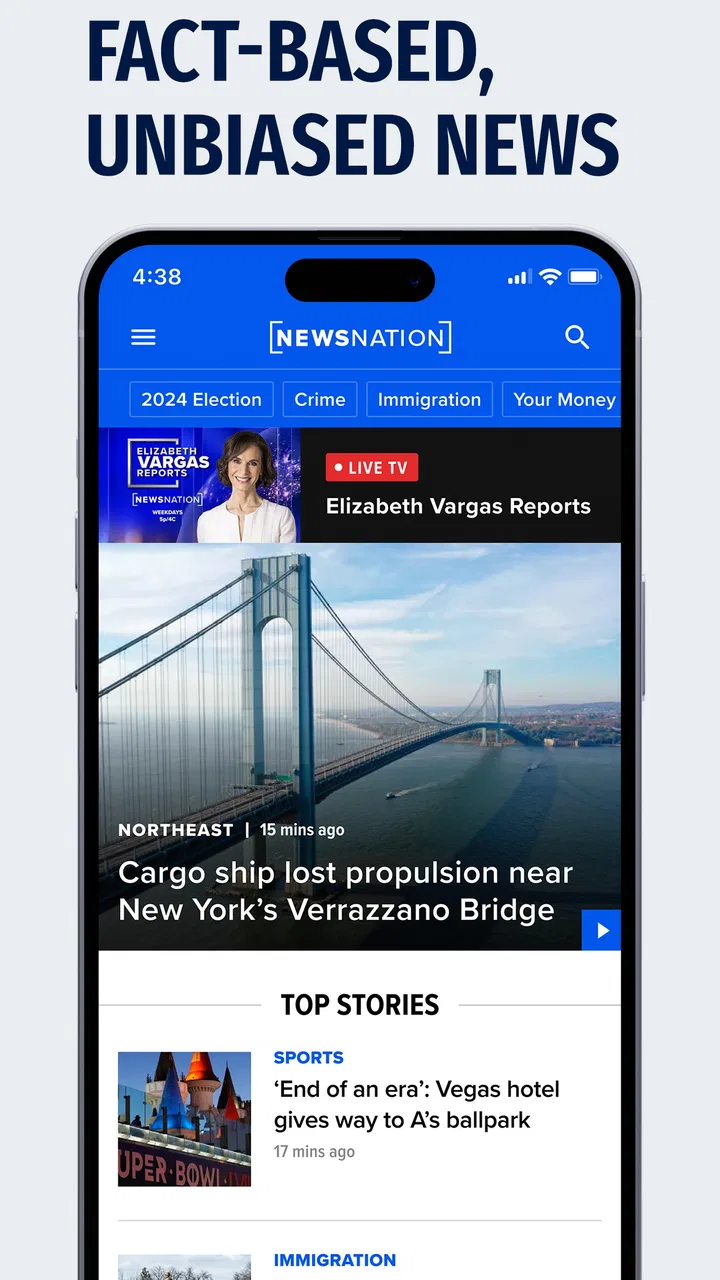
I spent time with NewsNation as a straightforward way to keep up with current events, and my overall impression is mixed but useful. It is a free news and magazines app from Nexstar Inc., aimed at people who want a familiar stream of national coverage without paying at the point of download. The important distinction is that “free” describes access to the app itself; it does not automatically mean the experience will suit every news habit or replace every source you already use.
The app’s appeal is easy to understand. When I want a quick look at what is happening, I would rather open one focused news app than search through several unrelated websites. NewsNation gives that routine a clear home on Android or iOS, and its Everyone age rating makes it broadly approachable for households. It was released on August 26, 2020, so it is not a brand-new arrival, but it has had time to establish its place in the mobile news space.
How NewsNation fits into a daily news routine
I see this app as a companion for checking the news rather than a complete information system. That difference matters. A person who wants a quick morning scan, a way to check developing stories during the day, or a convenient mobile destination for NewsNation’s coverage may find it practical. Someone who needs a highly customizable news dashboard, deep local reporting, or a broad comparison of many publishers may feel restricted.
You May Also Like

 Blood Strike: 2.5 Anniversary
Blood Strike’s Loadouts Turn Every Drop Into a Tactical Gamble
A close look at Blood Strike’s custom loadouts: how fast access to signature weapons reshapes its battle royale rhythm, rewards preparation, and narrows the gap between fights.

 Pandora - Music & Podcasts
Pandora’s Music Is Easy to Start, but Harder to Recover
Pandora’s strength is its low-effort path from a seed to a station. Its weak spot is how much confidence it asks you to place in connection, setup, and quiet recovery.

 8 Ball Pool
 Is Built on Rivalries, Rematches, and Routine
A close look at the rivalries, rematches, shared routines, and unanswered safety questions that turn a quick pool match into a persistent mobile community.

 Samsung Music
’s Quiet Strength Is Playing What You Already Own
Its reach comes less from spectacle than from dependable access to a personal library. That simplicity is both the app’s strongest retention engine and its ceiling.

 AccuWeather: Weather Radar
AccuWeather Review: A Quick, Clear Forecast for Everyday Decisions
For everyday plans, the best forecast is the one you can understand quickly. AccuWeather makes rain timing, radar, and local conditions easy to act on, with a few trade-offs.

 Hill Climb Racing
Why Hill Climb Racing Still Turns Crashes Into One More Run
A tiny car, a bumpy hill and one more upgrade: Hill Climb Racing keeps resurfacing because its simple chaos makes every near-miss feel personal.
More From Our News Desk
View All News


In everyday use, the most sensible workflow is to treat the app as a starting point. I would open it during breakfast, identify the stories that matter to me, and then spend more time only on those. That approach prevents a common problem with news apps: endlessly scrolling without remembering anything. NewsNation works better when I use it deliberately, with a specific purpose such as checking the main headlines or following a story that has already caught my attention.
The app belongs clearly in the news and magazines category, but its identity is more focused than a general magazine reader. It is not something I would install for entertainment, games, shopping, or social conversation. Its role is information, and the quality of the experience depends less on novelty than on whether its coverage style matches what I want from a news source.
What the free price really means
NewsNation is free to download, which removes the biggest barrier for someone who simply wants to try it. I appreciate that because news habits are personal: an app can look promising in a store listing but feel wrong after a few days of real use. With no purchase required to begin, I can evaluate its usefulness without committing money first.
That free entry point gives the app practical value for occasional readers. If I only check headlines a few times a week, paying for a dedicated news product may not make sense. NewsNation is also an easy option for someone setting up a new phone who wants a recognizable news destination immediately, rather than building a collection of separate publisher apps.
Still, I would not confuse no download cost with guaranteed completeness. The value here comes from access and convenience, not from a promise that one app can cover every angle of every story. Readers who already pay for a newspaper, magazine, or premium news service should judge NewsNation as a supplementary source unless its coverage becomes their preferred daily choice.
What I found useful beyond the basic headline check
One of the more useful habits is to use the app at two different speeds. On a busy day, I can make a short pass to see what deserves attention. Later, I can return to the stories that affect my work, travel, family, or local concerns. This two-stage approach is more effective than opening the app only when a major event is already dominating conversation.
A second practical use is source separation. I would not rely on one news app for every important decision, but NewsNation can provide one perspective before I compare a significant claim with another reputable source. That is especially valuable when a headline is emotionally charged. Reading beyond the first line and checking how the story is framed helps me avoid reacting to a headline alone.
A third insight is that the app may be most useful for people who prefer a dedicated news environment over browser tabs. A mobile browser offers more variety, but it also brings distractions, inconsistent layouts, and a greater chance of losing the original story among search results. NewsNation provides a more direct route to its own coverage, which can make a short news check feel less scattered.
There is also a useful trade-off in having a focused publisher app instead of an algorithmic aggregator. A broad aggregator can expose me to many outlets, but it may mix writing styles, duplicate the same story, and prioritize what attracts attention. A focused app can feel more coherent, although that coherence comes at the cost of breadth. I would choose NewsNation when I want a single editorial destination, not when I want the widest possible range of sources in one screen.
Where the experience may fall short
The main limitation is scope. NewsNation is not the right answer for someone who wants every major newspaper, specialist publication, public broadcaster, and local outlet gathered together. An aggregator is better for that job. A dedicated local-news app is also likely to be more useful if neighborhood reporting, school updates, traffic, or weather are the reason I open a news service.
It is also not ideal for readers who build their day around long-form analysis. A general news app can help me discover important subjects, but discovery is not the same as deep context. For complicated political, economic, scientific, or international stories, I would still want detailed reporting from multiple trusted sources before forming a strong opinion.
The store’s average rating is 3.2 from around 843 ratings, with about 469 written reviews. I read that as a reason to keep expectations measured rather than as a final verdict. Ratings can reflect many things, including device compatibility, changing app versions, content preferences, or frustration with news itself. Even so, the figure suggests that the experience is not universally smooth, so I would test it on my own phone before making it my only news app.
Another point worth considering is attention. A news app can make staying informed easier, but it can also encourage repeated checking. I get better value when I decide in advance when to read and when to stop. For me, the app works best as a controlled habit: check the important updates, read with context, and close it instead of refreshing continuously.
Who is most likely to get real value
I would recommend trying NewsNation if you want a free, dedicated place for news coverage and prefer a focused publisher experience to a crowded aggregator. It is especially suitable for casual readers, people who want a second news source, and anyone who wants to test a news app without paying upfront. The Everyone age rating also makes it a broadly accessible choice for general household use.
It can be useful for a commuter who has a few minutes before work, a student who wants a quick overview before researching a topic, or a family member who does not want to maintain several publisher apps. In each case, the benefit is convenience: one familiar destination for a quick check, followed by deeper research elsewhere when the subject deserves it.
I would be more cautious about recommending it as the only source for a reader who needs specialized reporting. Investors, researchers, professionals, and people following a fast-moving local situation may need services designed around their particular information needs. The same applies to readers who want extensive personalization or a carefully balanced mixture of publications. For them, a multi-source news reader may deliver more value even if it feels less simple.
How I would use it alongside alternatives
Compared with reading news entirely through a browser, NewsNation offers a more focused routine. The browser wins for flexibility and source variety, while the app wins when I already know I want this publisher’s coverage. Compared with an aggregator, the app is less broad but potentially less cluttered. Compared with a paid publication, its financial advantage is clear because I can start without a purchase, but a paid service may offer stronger depth or a more specialized editorial experience depending on the reader’s needs.
My preferred combination would be modest rather than excessive: use NewsNation for a convenient general check, then consult another trusted source when a story is important, technical, or controversial. That is not a criticism unique to this app; it is a sensible way to use any single news outlet. The key is to know whether I am looking for awareness, context, or confirmation, because those are different jobs.
For a realistic example, imagine that I have ten minutes before leaving home and want to know whether there is a major national development I should follow. I can use the app for that first pass, save my attention for the most relevant story, and later compare the details with another source. If I instead need a complete picture of local road closures, specialist business reporting, and international reaction at the same time, I would skip the app for that particular task and use a broader combination of services.
What I would check during a first week
I would give the app a short, deliberate trial rather than decide from one opening. The first check is practical: can I find the coverage I came for without getting pulled into an aimless session? The second is editorial: do the subjects and framing feel useful for my needs? A few visits at different times of day can tell me more than a long first session, because the app’s value is tied to whether it fits a repeatable routine.
I would also use a simple comparison habit. When a story matters to a decision, I would note the central claim and look for independent reporting elsewhere, rather than treating any single app as the final authority. This is a particularly useful approach with developing stories, where early reports can change as more details emerge. The app can help me notice a subject; the follow-up reading helps me understand it.
For households, the Everyone rating makes the app broadly suitable, but I would still talk with younger readers about the difference between a headline, a developing report, and a settled fact. That is not a special setting or feature; it is a sensible way to use any news source. The app can be a prompt for discussion, while parents decide what level of coverage is appropriate for their family.
What its age and audience suggest
Since its release in 2020, NewsNation has had time to become an established mobile option rather than a new experiment. That history is useful context, but it does not tell me whether a particular current version will feel ideal on every device. I would still judge the present experience on my own phone and keep an eye on whether the routine remains dependable, especially if I rely on it for regular updates.
Its audience appears broad in the everyday sense: anyone who wants a direct way to check news can understand the basic purpose without needing a complicated setup. That simplicity is an advantage for a relative who is not interested in configuring feeds or learning a new system. It is less compelling for someone who enjoys tuning a dashboard around specific topics, regions, and publishers.
When readers ask whether this is enough for staying informed, my answer is that “enough” depends on the job. For a quick awareness check, it may be. For a research project, a local emergency, or a major personal or financial decision, I would treat it as one stop among several. The app is easiest to recommend when expectations are specific rather than when someone expects a single source to do everything.
My final recommendation
NewsNation is worth trying because the entry cost is simple: it is free, and its purpose is immediately clear. I like it most as a focused news companion, not as a universal replacement for every publication I read. The app’s strongest value is convenience for people who want a dedicated place to check coverage without paying to begin.
My recommendation is therefore conditional but positive. Install it if you want a straightforward additional news source, especially for quick daily checks. Keep another source available for local detail, specialist subjects, and important stories that deserve comparison. Skip it if you are specifically looking for a highly customizable aggregator, extensive long-form analysis, or one service that covers every kind of news equally well.
With over 100 thousand installs, NewsNation has reached a meaningful audience, but popularity alone would not decide it for me. I would judge it by whether its coverage fits my routine and whether the app remains comfortable to use on my device. For readers who value free access and a focused destination, it offers a reasonable starting point; for demanding news consumers, its best role is likely one part of a wider reading setup.
FAQs for NewsNation
01What features does the NewsNation app offer?
The NewsNation app provides users with live streaming of news broadcasts, on-demand video clips, and personalized news feeds. Users can customize notifications to receive breaking news alerts and updates on topics of interest. The app also includes interactive features such as polls and the ability to share stories on social media.
02Is the NewsNation app free to use?
Yes, the NewsNation app is free to download and use. However, it may include in-app advertisements. Some features or content may require a subscription or account registration for full access, which is typically outlined in the app's description or terms of service.
03How often is the content updated on the NewsNation app?
Content on the NewsNation app is updated frequently, providing real-time access to breaking news and ongoing stories. The app syncs with the live news schedule, ensuring that users receive the latest updates as soon as they are available, making it a reliable source for current events.
04Is the NewsNation app available on both Android and iOS devices?
Yes, the NewsNation app is available for download on both Android and iOS platforms. Users can find it on the Google Play Store for Android devices and the App Store for iOS devices, ensuring compatibility with a wide range of smartphones and tablets.
05What are the system requirements for the NewsNation app?
The NewsNation app typically requires Android version 5.0 or higher and iOS version 11.0 or later. It is optimized for both smartphones and tablets, but it's always recommended to check the specific app listing for any additional requirements or compatibility notes to ensure proper functionality.
Pros
- User-friendly interface for easy navigation.
- Wide range of news categories available.
- Timely notifications for breaking news.
- Minimal ads enhance the reading experience.
- Offline reading mode is available.
Cons
- Limited international news coverage.
- Requires account for personalized features.
- No dark mode for night reading.
- Occasional app crashes reported.
- Video content can be slow to load.

NewsNation
Gallery